
Work order template for motorcycle workshops.
Free, as a PDF, ready to print on A4. With what a motorcycle workshop needs: number plate, mileage, reported problem, diagnosis, parts and labour, status and signatures.
PDF, one A4 sheet. No sign-up.
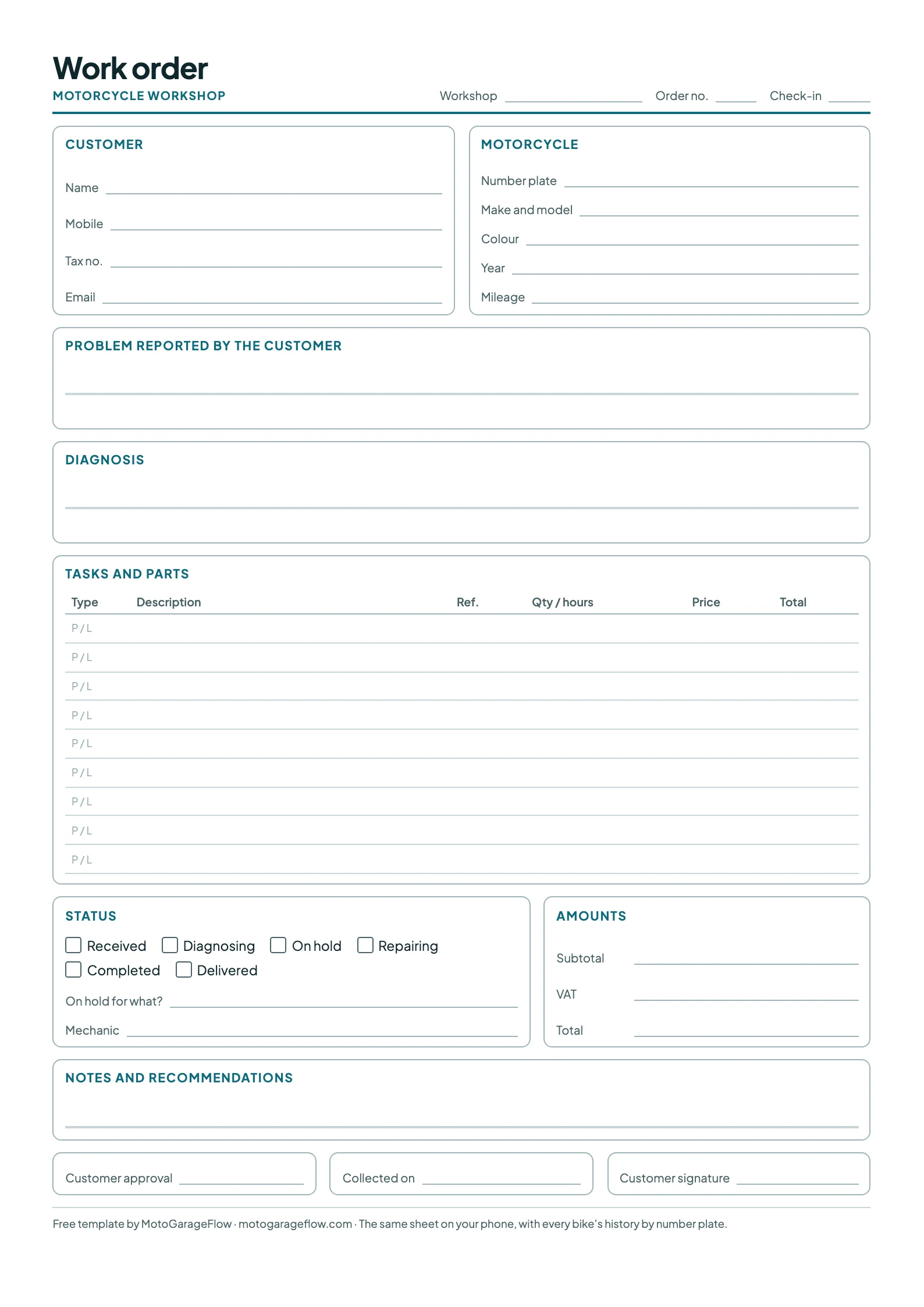
What’s on the sheet.
Customer and motorcycle
Name, mobile, tax number and email; number plate, make and model, colour, year and mileage.
Problem and diagnosis
What the customer says and what the workshop finds, each in its own space.
Tasks and parts
Lines for parts and labour, with reference, quantity or hours, price and total.
The bike’s status
Received, diagnosing, on hold, repairing, completed or delivered, and what it is waiting for.
Amounts
Subtotal, VAT and total, at the end of the sheet.
Approval and collection
The customer’s approval, the collection date and the signature.
From paper to phone: the same sheet, without what gets lost.
A paper, Word or Excel sheet works on day one. Over time, the same problems always show up.
The bike’s history
On paper, Word or Excel: Sheets in folders. Finding out what was done two years ago means going through them one by one.
In MotoGarageFlow: Type the number plate and see every work order, with dates, mileage and what was done, even after the bike changes owner.
See how it works: Bike service historyHandwriting and lost sheets
On paper, Word or Excel: Handwriting nobody can read, sheets covered in oil or gone missing.
In MotoGarageFlow: Everything written on the phone, with the name of who did it, up to 10 photos per order and a log of every step.
See how it works: Work ordersWhy is the bike stopped?
On paper, Word or Excel: Only whoever set it aside knows.
In MotoGarageFlow: On hold, the work order says why: parts, customer approval, supplier or other. Bikes stuck for days are flagged.
See how it works: Workshop flowMissing parts
On paper, Word or Excel: A note on the sheet or in someone’s head. When it arrives, nobody crosses it out.
In MotoGarageFlow: The part shows "Missing" on the order line and "Arrived" is one tap. When the last one arrives, the bike goes back to repair by itself.
See how it works: Workshop flowThe customer calling
On paper, Word or Excel: "Is my bike ready yet?" and someone has to go and check.
In MotoGarageFlow: The TV board shows every bike in its status, and the bike-ready message is ready to copy into the customer’s WhatsApp.
See how it works: Workshop boardPaper needs no battery and no signal. The app also works on a weak signal: whatever is logged offline is sent when the connection comes back.


Try the same sheet on your phone.
The demo has a workshop with bikes in every status. Sign in and open a work order.
Username demo.gestor, the password is the same.
Frequently asked questions
Is the template free?
Yes. Download the PDF, print it and use it as you like. No sign-up needed.
Is there a Word or Excel version?
For now only a PDF, ready to print on A4.
Does the work order work as an invoice?
No. The work order organises the job; the invoice stays in your certified invoicing software.
Can I move my paper sheets into the app?
You start with the bikes that come into the workshop: every new work order goes into the bike’s history. The old sheets stay in the archive.
Start with your workshop.
30 days free. Leave your details and we’ll call you. There’s no account to create: we set up the workshop and hand over the logins.
Want to look now? Sign in to the demo with the username demo.gestor (the password is the same).Open the demo
Request received.
We’ll call you to set up your workshop.
Development mode: nothing was sent.